Like one part? Lock it. Generate the rest.
Instant download · free updates
Ableton Live 12 · Suite or Standard with Max for Live
What a great product, it's easy to use, intuitive, and makes coming up with chords, basslines, and melodies much faster. A really useful addition to my library.
I was looking for something like that! It works like magic!
oh? oh. ooohhhhhhhhhhh… yeeeeeesssss.
An excellent, well thought out and made plugin.
Gracias por tan fantástica herramienta para LIVE.
Dope tool to get the low end right. Thanks!
Download, drop it in, use it on every machine you own for as long as you own them. Updates land in your Gumroad library for free. Found a bug? Write me and it gets fixed.
Open Live. Make a MIDI clip. Try four chords, swap the third one, delete everything, try another progression. When something finally stands up, the bass is still missing. Then the melody. At some point the idea that was in your head is not there anymore.
Harmony Engine starts that part for you. It is not a sound, not a preset pack, not AI. It writes MIDI inside your Set and gets out of the way: you put your instruments on top of the notes it wrote.
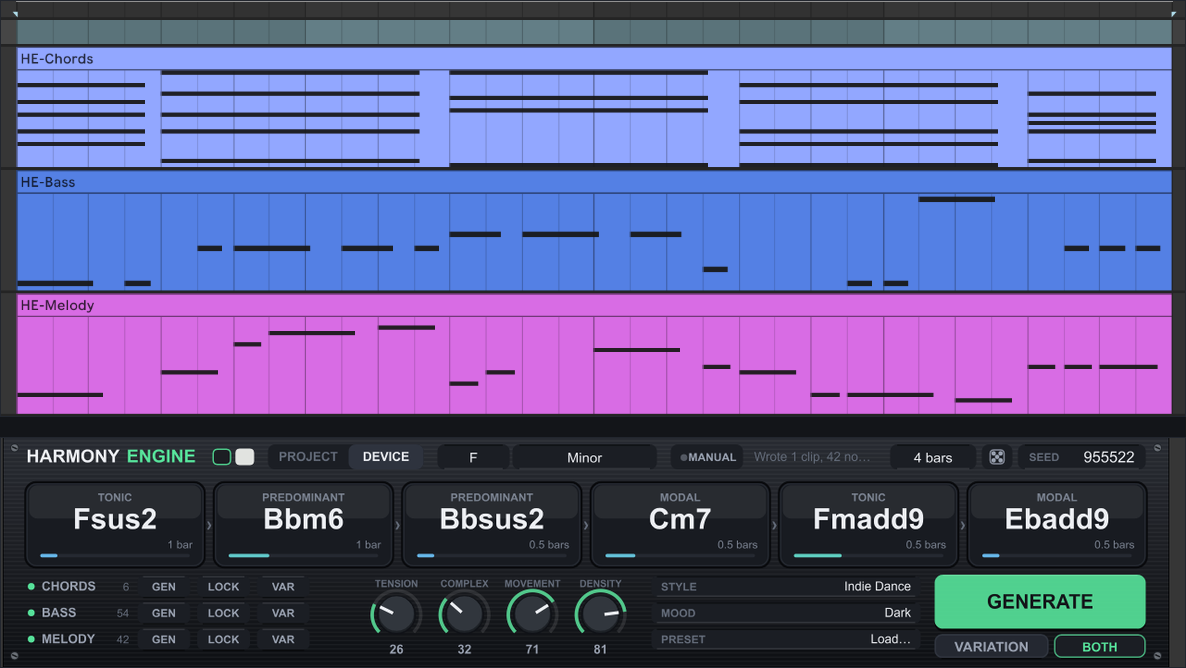
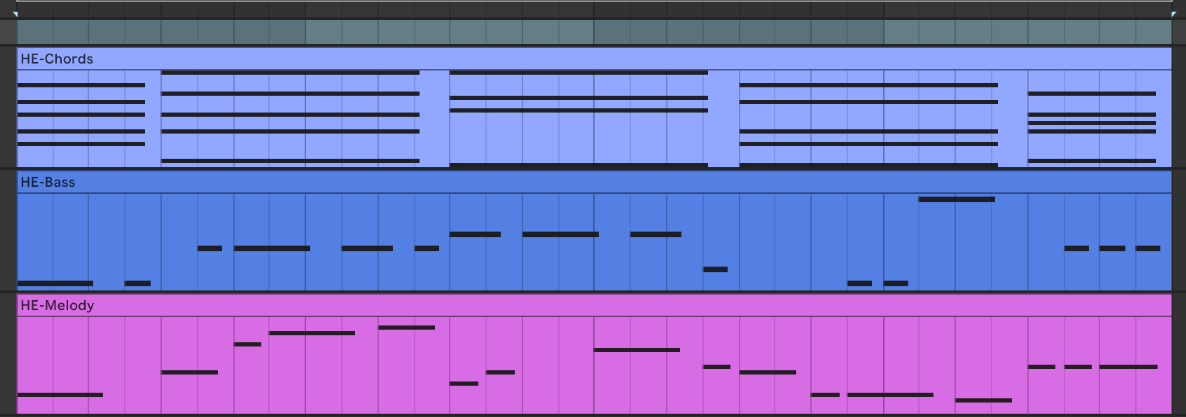
Press GENERATE and three tracks appear in your project: HE-Chords, HE-Bass and HE-Melody, each with its clip.
They are not three separate generators running at once. The bass plays the roots of those chords and the melody walks on top of that progression. That is why the three parts fit when you play them together.
It does not touch your tracks. It makes its own, writes only inside the region it wrote itself, and what is yours stays yours.
This is the difference between this and a generator that rolls dice.
Each of the three layers has its own three buttons: GEN rewrites only that layer, LOCK freezes what is already there, and VAR returns a close neighbour instead of a new idea.
So the cycle is this: generate, like the chords, LOCK the chords. Now hit GEN on the bass as many times as you want: it rewrites itself around a harmony that can no longer move. Found the bass, LOCK that too, and keep going on the melody until it sings.
Two captures of the device in two states. A locked layer is not changed even if you switch style, key or macros afterwards.
The top row of the device shows the progression with the harmonic function of each chord and how many bars it takes. Click any of them to change its voicing without leaving the scale degree: the edited chord is marked and survives every generation after it.

Instant download · free updates
It is not a button that finishes the track. It is a tool for starting and developing. The rest is still yours.
Leave it on PROJECT and it follows the key and scale in Live 12's control bar. Change the Set's key and it is already there.
Or switch to DEVICE and pick by hand from 16 scales: major, minor, the other five modes, harmonic minor, melodic minor, harmonic major, Phrygian dominant, Lydian dominant, both pentatonics, minor blues and whole tone. Chord names are spelled in the key you are actually in: in C Dorian you get Bb, not A#.

TENSION is how much instability the harmony may carry. COMPLEXITY runs from triads at the bottom to thirteenths at the top. MOVEMENT is how much the harmony travels. DENSITY is how much the bass and melody move.
All four are real Live parameters: they show up in the automation list and accept MIDI mapping. Moving one does not regenerate on its own: a dot appears on GENERATE, so nothing you are listening to gets overwritten without you asking.

A style is not a sound preset: it is the harmonic vocabulary it will reach for. Which chords it uses, how much the harmony travels, how much tension it holds, how the bass behaves. Tech House leans on triads and repetition. Ambient lives on sus chords and four-bar changes. Trance pulls hard toward the dominant.
A mood bends the style instead of replacing it: the same mood sounds different in each one.
Dark · Emotional · Hypnotic · Euphoric · Dreamy · Warm · Tense · Mysterious · Uplifting · Melancholic
The same engine in both: same styles, same macros, same seed. Both come in the download, no extra cost.
On the MIDI track, with the full panel. That is where the locks, the macros and the progression live, and it is what saves with your Set.
In Live 12's Generate tab. Open a clip you already have, press Generate and the notes are written right there. No device on the track, no routing.
The same seed with the same settings always returns the same music. Your project stores a handful of numbers instead of a block of notes, and the device rebuilds identical material when you reopen, locked layers included.
And if you send the project to someone without the device, the clips open and play as normal: it is plain MIDI. Only the panel will be missing.
Six minutes of the device running in Live, from GENERATE to the three clips on the tracks.
I make Max for Live devices and I make my own records. Harmony Engine came out of a problem of mine: getting stuck at the part where the harmony starts, and losing the idea halfway through.
It is tested like software: every version runs a suite of automated tests and two harmonic audits over thousands of generated progressions. Leading tone resolving up, seventh resolving down, no parallel fifths or octaves, every note inside the scale.
Found a bug? Write me. It gets fixed and you receive the fix for free. Updates are free forever, in your Gumroad library.
No. It was built and tested on Live 12, and older versions are not supported. The device reads key and scale straight from Live 12, and the MIDI Tool in the Generate tab only exists in Live 12.
Not necessarily. You need Max for Live. Suite ships with it; Standard works if you own Max for Live.
No. Live Intro and Live Lite cannot run Max for Live devices, any of them, it is not a limitation of this one. If that is your version, do not buy: you will not be able to open it.
Both. It is a Max for Live device and runs the same on either.
None of the three. It runs 100% offline and never contacts anything. Unzip, drag in, use it, on every machine you own, for as long as you own them.
No. It creates and writes on its own three tracks, HE-Chords, HE-Bass and HE-Melody, and only replaces material inside the region it wrote itself. Each copy of the device in the same Set reserves its own set of tracks, so two never fight over the same clips.
Yes, and that is why it writes clips instead of playing live. They are real notes on real tracks: edit, cut, move, delete half. Nothing disappears if you remove the device later.
Only if you ask for it. The same SEED with the same settings always returns the same result: that is what makes everything reproducible and what makes your Set reopen identical. Drag the SEED field or click the dice for a new one.
Instant download through Gumroad as soon as payment clears. You get the track device, the MIDI Tool, the manual and the install guide. Future updates arrive in your Gumroad library, free.
Chords, bass and melody from one harmony, as editable MIDI. Lock what worked, generate the rest, keep writing.
Through Gumroad · instant download · free updates
Ableton Live 12 · Suite or Standard with Max for Live